
OpenAI dots makes a strong case for an agent that can keep working after you close the chat. But a buyer choosing an always-on AI worker also has to decide who owns the work, which channels the worker can use, and what a month of real usage will cost. This guide compares seven alternatives for those decisions, from named digital colleagues to agent builders and a specialist sales worker. Disclosure: Spinnable publishes this guide and is one of the products compared; we describe its limits as well as its strengths.
- For a non-technical team that wants persistent role-based workers, Spinnable is available via email, WhatsApp, Slack and Microsoft Teams. If your main requirement is a programmable agent runtime with explicit handoffs, compare CrewAI or Relevance AI instead.
- OpenAI dots is compelling if your team already works in ChatGPT, Slack or Teams and wants an inspectable cloud computer. OpenAI says the first dot is included at no extra cost on Pro or Business Premium, with an allowance for deeper work. Access is rolling out in eligible markets, and Enterprise users need an admin-enabled beta.
- Lindy is a close option for Slack-centered delegation. Relevance AI, Copilot Studio and CrewAI make more sense when someone on the team wants to configure and govern agent workflows.
- Manus suits browser-based research and repeat projects. Artisan is a narrower choice for outbound sales, not a general company-wide worker.
- Compare usage rules before comparing sticker prices: Spinnable has Work Credits, Lindy has per-user credits, Copilot Studio bills by Copilot Credits, and Manus has task-dependent credit use. Manus lists Pro from $20/month; Artisan has no verified public paid dollar price.
At a glance
| Platform | Best for | Channels | Pricing from | Standout | Main trade-off |
|---|---|---|---|---|---|
| Spinnable | Non-technical ops teams | Email, WhatsApp, Slack, Microsoft Teams | $50/mo excluding VAT | Named workers with memory | Not a code-first builder |
| Lindy | Slack-centered teams | Slack; connected apps | $29.99/user/mo | Routines and visible memory | Per-seat credits |
| Relevance AI | Agent-team builders | Triggers; email/Slack escalation | $19/mo annual (docs); ask sales | Visual handoffs | Sales-led pricing page |
| Microsoft Copilot Studio | Microsoft estates | Microsoft agents and connectors | $200/25,000 credits/mo | Tenant governance | Credit accounting |
| Manus | Browser-based projects | Cloud browser; app triggers | Free; Pro from $20/mo | Project instructions | Variable credits |
| Artisan | Outbound sales | Prospect outreach; CRM sync | Contact sales | Purpose-built Ava BDR | Sales specialization |
| CrewAI | Multi-agent builders | Workflow triggers; Slack/Teams chat | Free: 50 executions/mo | Deployable crews | Free execution cap |
Prices and availability reflect official vendor materials checked September 29, 2026; a listed starting price is not a forecast of your monthly bill.
What OpenAI dots does well, and where buyers may want alternatives
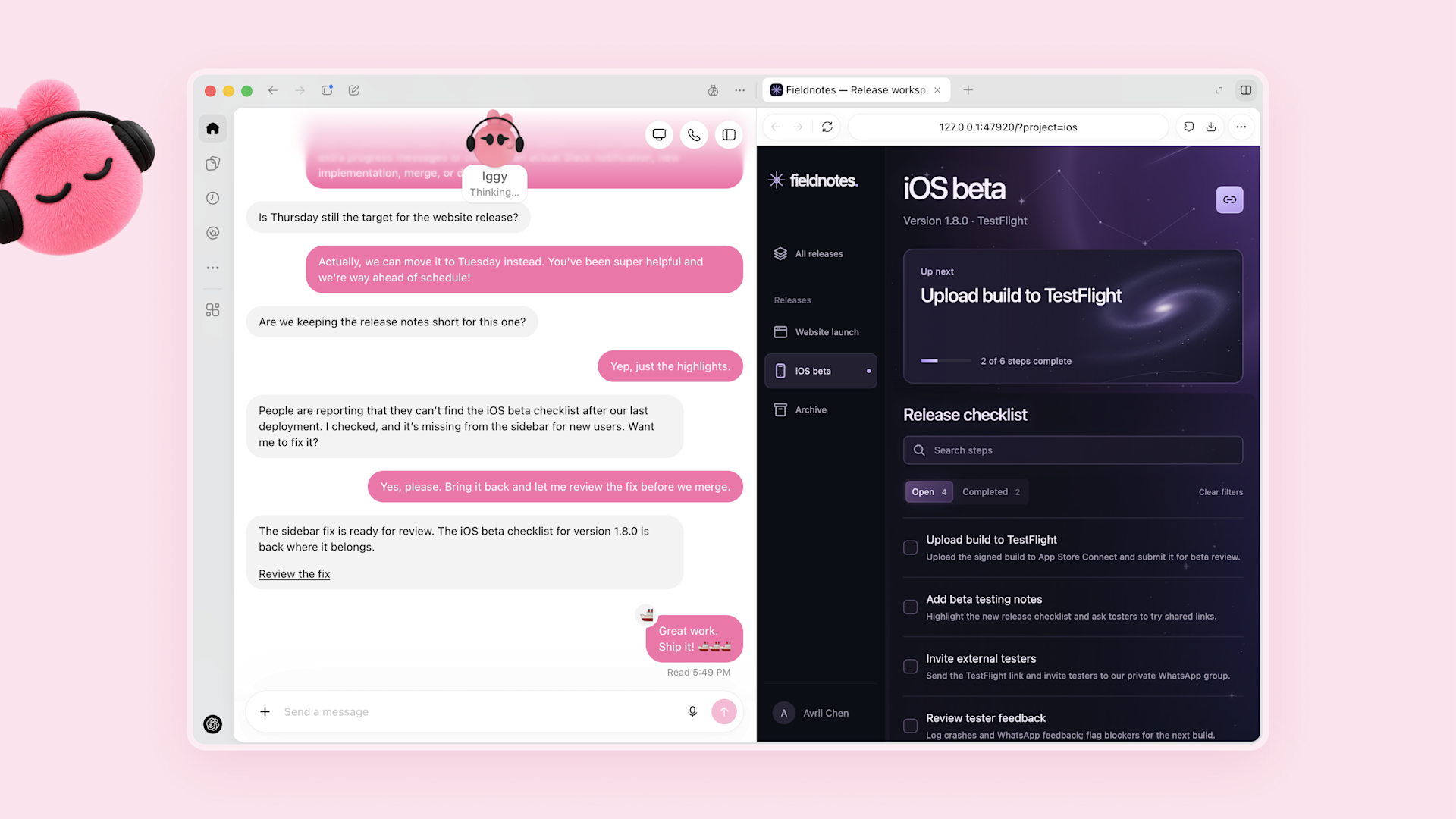
OpenAI describes dots as always-on agents in its launch announcement. Powered by GPT-6 Astra, each dot has its own cloud computer and browser, learns from feedback over time, and can work toward a goal 24/7. OpenAI says plugins can connect dots to over 4,000 apps. A user can open a dot's computer to inspect its work, give it permission to connect to and use a laptop, and have it run a project while the user works on several others. Those are substantive capabilities, not merely a new chat label.
The launch page names ChatGPT, Slack, Teams and voice as ways to reach a dot. Today, a user can start with one primary dot and give it a name. OpenAI describes teams of dots as a future vision, while specialist dots with their own access-management identity, IT-provisioned hardware and deeper systems-of-record integrations are a preview. I would treat those two latter descriptions as roadmap context, not features to put into a current procurement checklist.
OpenAI says dots are rolling out to Pro and Business Premium users in eligible markets; Enterprise users, including Edu and Healthcare, can try an admin-enabled beta. The launch page says the first dot is included in Pro or Business Premium at no extra cost, with an allowance for deeper work and extended limits for the first month after launch. It links to eligible markets but does not list security certifications on this page. It also does not mention email or WhatsApp as dot channels; that is a statement about this page, not proof that those channels can never be added. Buyers should confirm access and terms for their account before planning a deployment. If you want the full picture first, read our explainer on what OpenAI dots is and how it works. For model context, our GPT-6 Astra review is separate editorial reading, not the source for dots product claims.
These are alternatives for different jobs, not exact substitutes for a dot's cloud computer. "Always-on" is not a tested uptime promise.
How we chose these alternatives
We compared recurring-work support, channel access, memory or persistent project context, oversight, integrations, implementation effort and published pricing, using official product pages, documentation, pricing pages and trust materials checked September 29, 2026. This is a buyer's guide built from vendor documentation, not a hands-on benchmark, so where a paid price or access route was not public, we say so rather than estimating. For a wider category comparison, see our AI employee platforms guide.
1. Spinnable
What it is
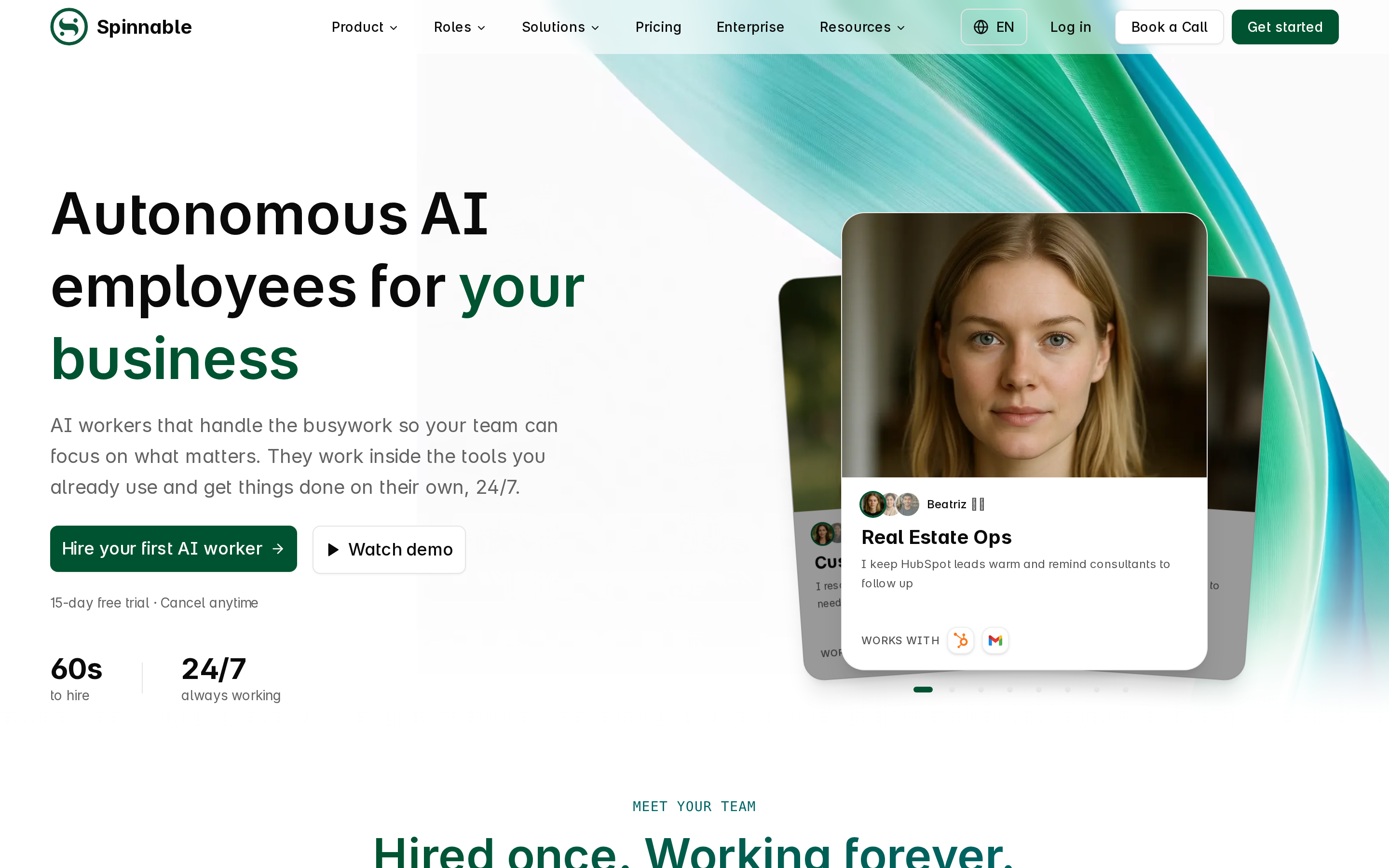
Spinnable is a role-based AI workforce of persistent digital colleagues. You describe a job in plain language and hire a specialized worker without coding; Spinnable says hiring takes 60 seconds. Workers keep approved preferences and work context as editable long-term memories across conversations and projects, and can take on recurring and background work 24/7. That puts the role, rather than an agent graph, at the center of setup.
Each worker comes with a Spinnable email address and WhatsApp messaging, and works in Slack and Microsoft Teams as well as the Spinnable app. The Teams documentation describes posting in channels, monitoring threads and sending direct messages, and Spinnable's September 2026 release notes describe workers joining Teams, Zoom and Google Meet calls as note takers or participants. Managers stay in control: they choose which tools each worker can use, can limit who a worker emails or messages on WhatsApp, and keep sensitive actions under human review. That matters more to me than a connector count when a worker replies to a customer.
Best for
Choose Spinnable if a non-technical operations team needs named ownership of inbox triage, project follow-up or recurring coordination across the tools it already uses. A team can hire an assistant for one role and a separate worker for another, then keep their histories distinct. If the missing piece in your current setup is an email or WhatsApp-facing worker, the difference from what the dots launch page documents is concrete. Spinnable does not require a ChatGPT Pro, Business Premium or Enterprise seat.
Pros
- Role descriptions let business users start without designing workflows or writing code; approved memories preserve preferences and work context as the job continues.
- Email, WhatsApp, Slack and Microsoft Teams access gives workers several places to do the work rather than one place to receive a prompt.
- Per-worker tool permissions, email and WhatsApp contact restrictions, and human review of sensitive actions keep oversight in the operating model.
- The trust center states GDPR compliance and lists a SOC 2 Type II report as in progress. Spinnable says its DPA prohibits training on customer data; do not mistake an in-progress report for certification.
Cons
- Starter includes two workers and 2,000 Work Credits per month. Recurring tasks can use that allotment, so estimate the actual work before choosing a plan.
- If operating a dedicated cloud computer is the main purchase driver, test that exact browser or desktop task side by side with dots or Manus.
- The role-based approach is a poor match if your team wants to code and own the structure of its own multi-agent graphs.
Pricing
Starter is listed from $50/month excluding VAT with two workers and 2,000 Work Credits per month. Business is listed from $150/month plus VAT with five workers and 7,000 Work Credits per month. Enterprise pricing is custom. Standard self-serve plans include a 15-day free trial, and no credit card is required to start. On Business, an extra worker costs $20/month and 1,000 extra credits cost $20/month. Compare both the worker count and Work Credits against the tasks you intend to assign.
When it is not the right fit
If your engineers want a programmable agent runtime with explicit handoffs and execution traces, evaluate CrewAI or Relevance AI first. If you are buying a browser-operating agent for a particular project, ask Spinnable to demonstrate that exact workflow rather than assuming it has the same computer-use model as dots or Manus. You can compare another Slack-oriented option in our Lindy alternatives guide.
2. Lindy
What it is
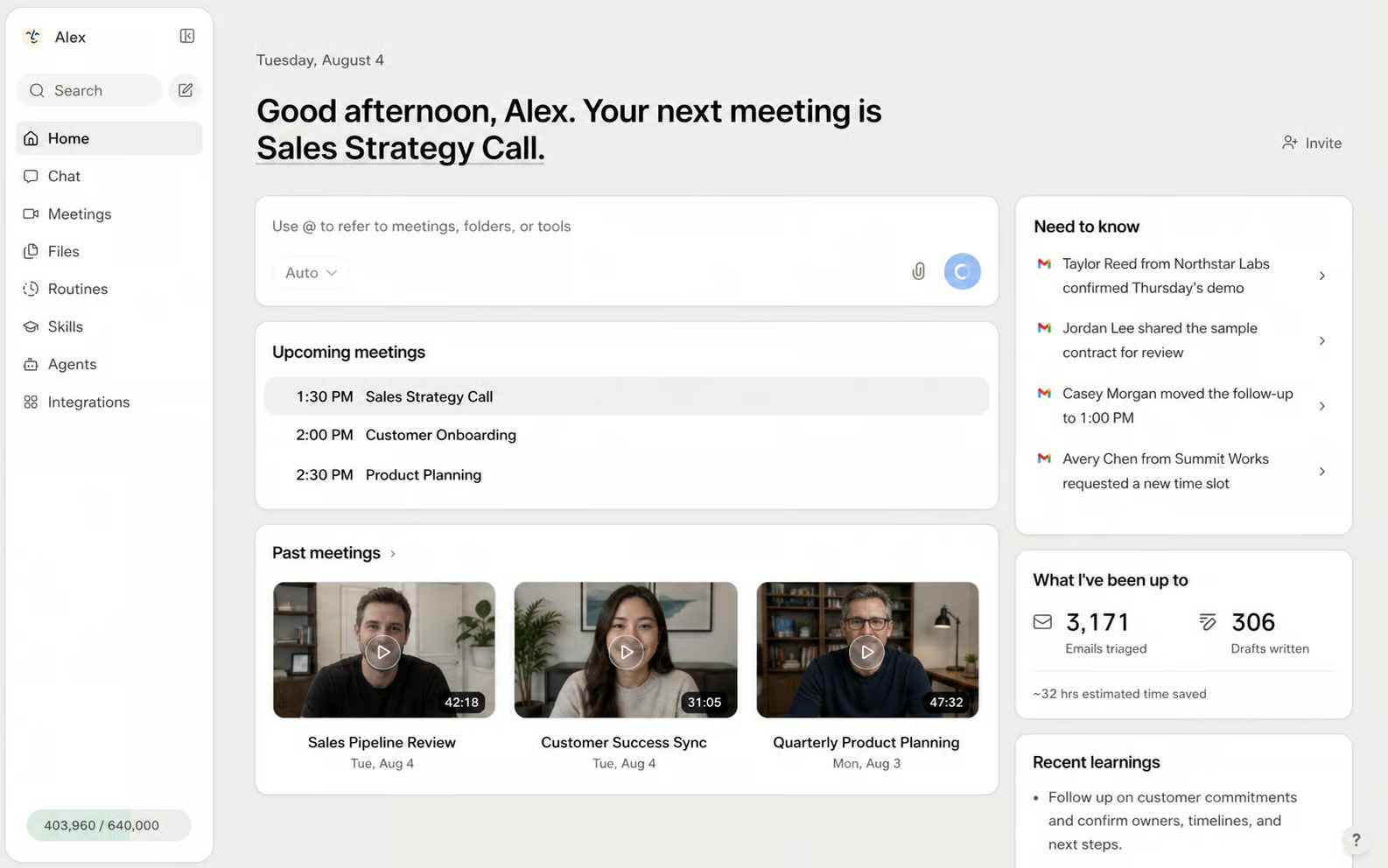
Lindy describes an AI teammate that lives in Slack and connects to work apps. Its routines run repeated tasks, while its memory documentation describes information teammates can see and edit by version. Calendar, inbox and meeting connections broaden the work it can do, though the documented conversational center is Slack. That is a useful distinction from Spinnable's native email and WhatsApp worker messaging.
Best for
A Slack-centered team that delegates calendar and inbox follow-up, wants repeatable routines, and prefers to review what its teammate remembers is Lindy's strongest fit. It is a closer day-to-day delegation comparison than a builder that expects someone to assemble several agents.
Pros
- Routines give repeat work a defined place in the product, rather than relying on someone to issue the same request every morning.
- Visible, versioned memory gives teammates a way to inspect retained context.
- Lindy states that it has permission controls and action logs and is SOC 2 Type II certified; these are vendor statements, not an audit performed for this guide.
Cons
- Plans are priced per user and include per-user credits, so more seats and heavier use can change the effective budget.
- We did not verify a native WhatsApp worker channel in the reviewed Lindy documentation. Check this directly if messages on WhatsApp are part of your workflow.
- The seven-day trial is restricted to new teammates joining via Slack; direct signups are billed immediately under the published terms.
Pricing
Checked September 29, 2026: Plus lists $29.99/user/month with 3,000 credits per user per month. Lindy lists higher per-user plans and an Enterprise sales route. Its seven-day trial applies to qualifying Slack-join teammates, not every signup; do not budget for a general free week without checking your entry route.
When it is not the right fit
If workers must receive and send messages through their own email addresses or WhatsApp, get channel proof before buying Lindy. Spinnable is the more direct documented starting point for that requirement. If you need to draw agent-to-agent handoffs yourself, move to Relevance AI or CrewAI rather than trying to make a teammate product do a builder's job.
3. Relevance AI
What it is
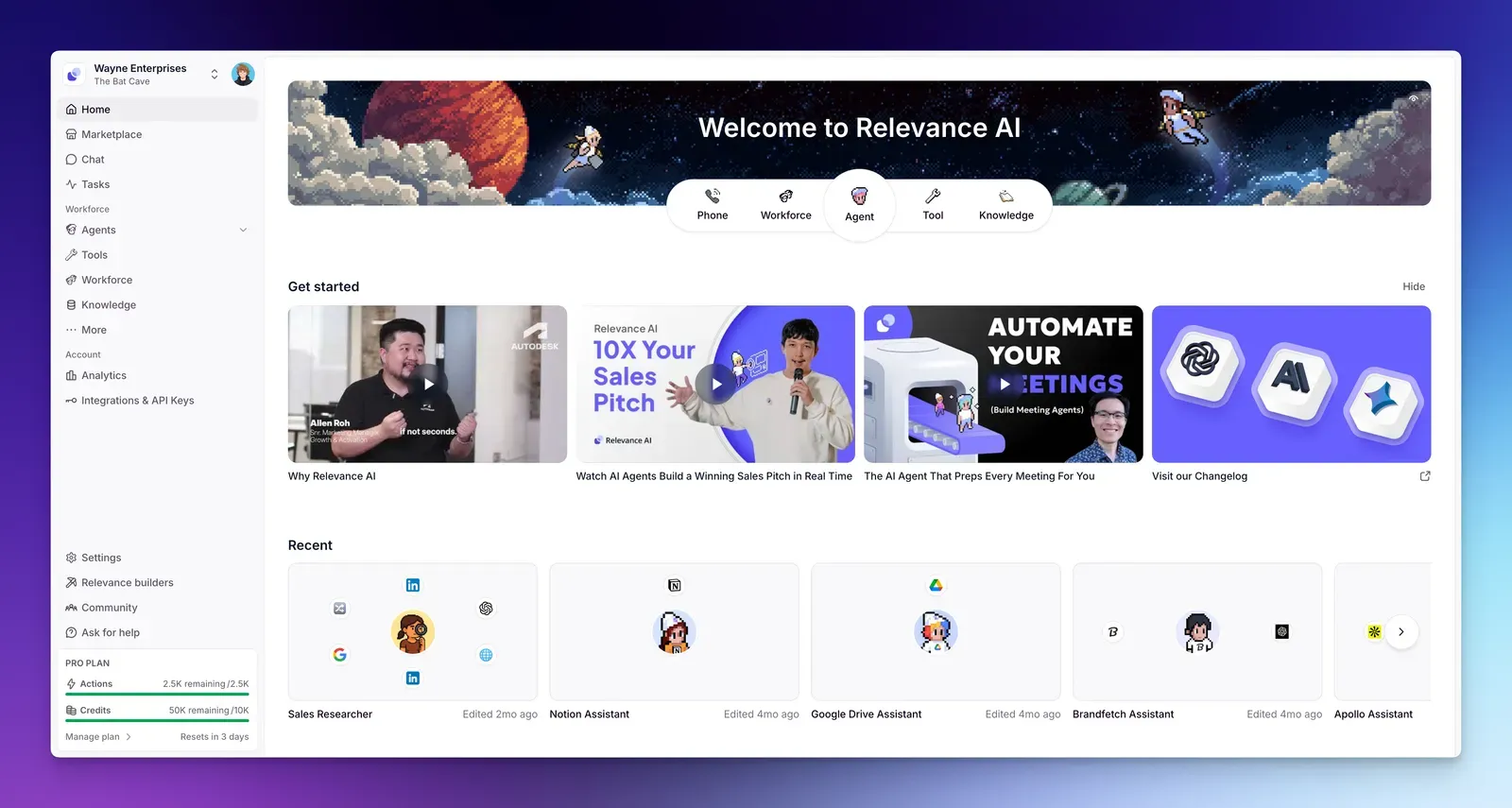
Relevance AI is a platform for assembling specialist agents into workforces on a visual canvas. Agents can hand off tasks, and a team can monitor their work. Scheduled triggers and integration-based events start jobs without someone manually opening a chat. Its pricing documentation describes email and Slack escalations when human input is needed.
Best for
Choose it when an operations or product team wants to design who hands work to whom. Think of a multi-step intake flow with a specialist for classification and another for research, where monitoring that handoff is part of the job. That calls for more configuration than hiring a named worker from a role description.
Pros
- The visual workforce canvas makes agent roles and handoffs explicit.
- Scheduled and integration triggers suit repeat work and events originating in other systems.
- Monitoring and human escalation can be designed into a workflow; the vendor's pricing documentation also describes plan-dependent governance claims.
Cons
- The official pricing documentation lists Pro, while the main pricing page routes visitors toward sales. A documented dollar amount does not establish that the same checkout route is available to every buyer.
- A team seeking a worker it can name and brief in plain language has to weigh the added workflow design work against the control gained.
Pricing
Checked September 29, 2026: Relevance AI's docs list Pro from $19/month billed annually, or $29 monthly. The main pricing page directs buyers to sales rather than showing that public Pro checkout. Confirm plan availability and the applicable credits with sales before using $19 as an approved budget.
When it is not the right fit
Skip a visual agent builder if your team does not have an owner for triggers, handoffs and exception handling. A finance manager who needs a persistent colleague in email and WhatsApp may get to useful work sooner with a role-based worker. For a broader look at configurable products, see our AI agent platforms comparison.
4. Microsoft Copilot Studio
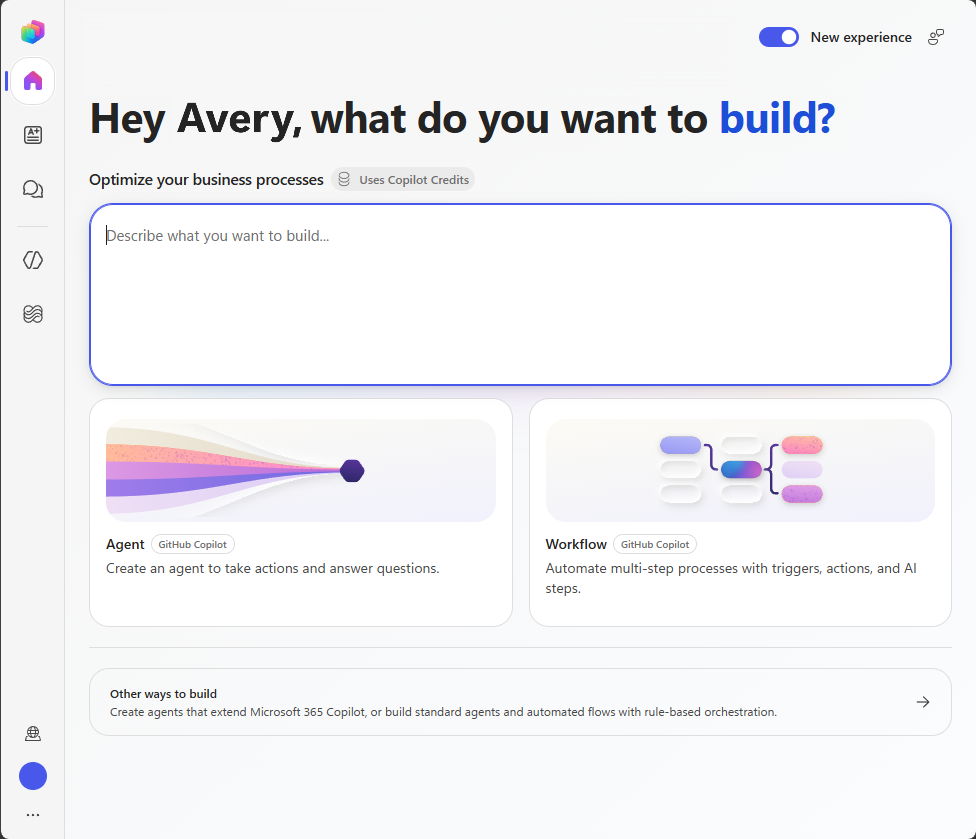
What it is
Copilot Studio is Microsoft's environment for building agents and workflows, including proactive agents. For a company already using Microsoft 365 and Power Platform, its attraction is the administrative setting around the agents: Microsoft documents identity controls, connector policies, triggers and spend visibility. Those controls are useful, but they are part of a build-and-govern workflow rather than a promise that every employee instantly gets a named digital colleague.
Best for
It is a sensible shortlist choice for an enterprise with a Microsoft tenant, administrators responsible for connector policy, and people willing to configure agents for internal processes. Ask an admin to map the actual action and response types before budgeting credits.
Pros
- Microsoft documents data policies and admin governance for tenant-managed agents.
- Proactive workflows and connectors let builders tie an agent to events and existing Microsoft operations.
- Pay-as-you-go is available for buyers who would rather meter consumption through Azure than purchase a fixed monthly credit pack.
Cons
- Copilot Credits are consumed at rates that depend on the action or response. A pack price is not an all-inclusive price per autonomous worker.
- The general Copilot Studio billing path requires Azure setup and administration. It is a heavier choice than hiring a worker for a small non-technical team's inbox.
- Do not confuse Microsoft 365 Copilot seat pricing with the tenant-wide Copilot Studio credit price.
Pricing
Microsoft lists $200 per month for a capacity pack of 25,000 Copilot Credits, billed annually per Microsoft's Copilot Studio licensing guidance (checked September 29, 2026). Unused credits do not roll over to the next month. Microsoft also offers an Azure pay-as-you-go option. A separate introductory Azure credit promotion is not a permanent free Copilot Studio plan. Ask which agent activities consume credits, then estimate volume for your scenario.
When it is not the right fit
A small group without Microsoft tenant administration or appetite for credit metering should not buy Copilot Studio merely because it recognizes the Copilot name. If the immediate task is role-based coordination in email, WhatsApp and Slack, compare that workflow against Spinnable before commissioning a Microsoft build. Our AI agents guide provides more category context.
5. Manus
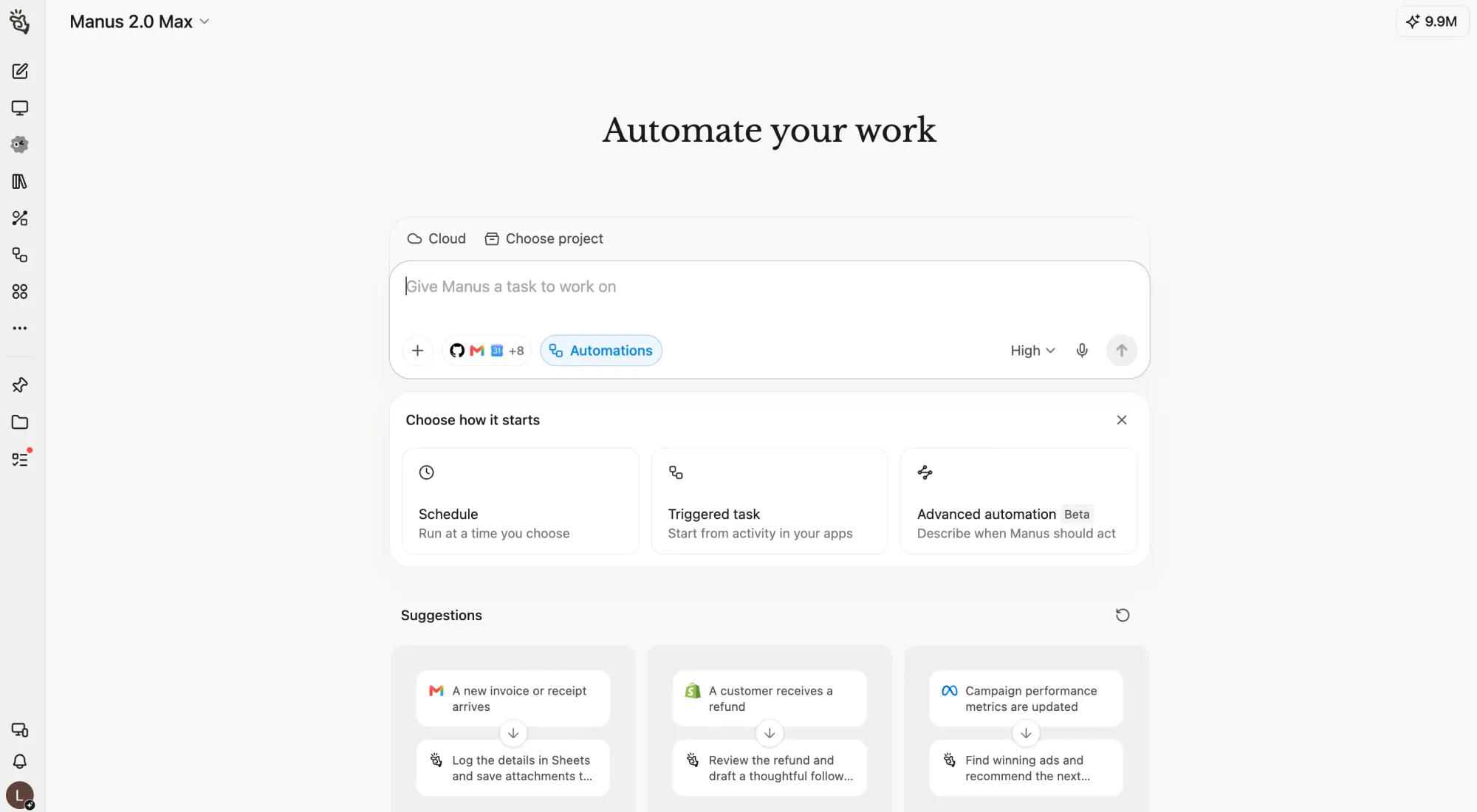
What it is
Manus is a general-purpose agent with a documented cloud browser, persistent project instructions and files, and automations that can run on a schedule or an app event. Advanced automation workflows are marked beta in the documentation. This makes Manus pertinent when someone likes the computer-and-browser aspect of dots but wants to organize work around a project.
Best for
It fits repeat research, browser tasks and multi-step project work where instructions and supporting files need to persist. Consider what should trigger each repeat job, and whether the task can be reviewed at the project level instead of assigned to a named, full-time departmental role.
Pros
- A cloud browser is an explicit documented capability, not an inference from the word "agent."
- Projects retain instructions and files; schedules and app-event triggers support work that recurs.
- The free, credit-limited plan permits initial evaluation before a paid commitment, within its allowance.
Cons
- Credit consumption varies by task complexity. A project with long browser sessions needs a usage check before a paid rollout.
- Manus lists Pro from $20/month, but task-dependent credit use still needs a workload estimate for a useful budget comparison.
- Automation support does not mean Manus promises a named worker with its own native email and WhatsApp messaging, or guaranteed 24/7 execution.
Pricing
Manus has a free plan with daily refresh credits. Its Help Center lists Pro from $20/month with 4,000 monthly credits, higher Pro tiers from $40/month, and a Team plan from $20 per seat per month, with a 17% discount for annual billing (checked September 29, 2026). Credits are consumed by task complexity, so heavy research or browser work can push you into a higher tier.
When it is not the right fit
If department heads need persistent named colleagues taking ownership of communication across several channels, project-centric automation is a different operating model. If your requirement is a general-purpose browser agent for a defined recurring task, Manus belongs on the shortlist, with the beta label and credit rules written into the evaluation.
6. Artisan
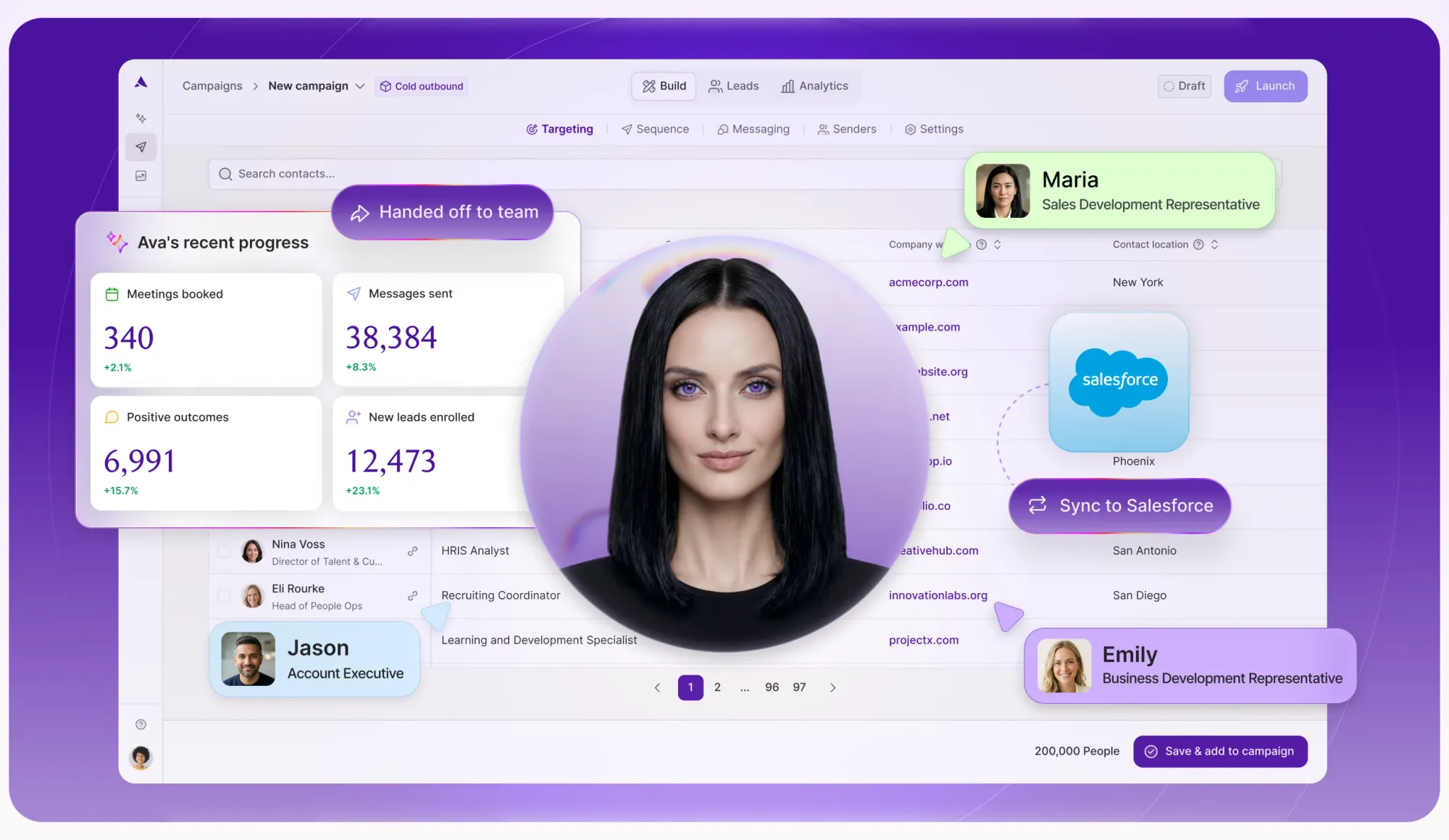
What it is
Artisan's Ava is an AI sales agent for outbound business development. Artisan describes prospect outreach, reply handling, meeting coordination and Salesforce or HubSpot synchronization, along with approval and guardrail options. The illustrated campaign workspace is product marketing art, not evidence of a measured conversion rate.
Best for
A sales leader who wants one specialized outbound workflow and already knows how the team approves prospect messaging should look at Artisan. It is a category-specific choice, and that specificity can be useful when the job is prospecting rather than broad operational support.
Pros
- Ava's published scope is concrete: prospecting, replies and meeting follow-up with CRM synchronization.
- Approvals and guardrails are relevant when the agent contacts people outside the company.
Cons
- All listed plans require a sales conversation, so there is no verified public monthly entry price to place beside the self-serve products.
- Specialized outbound design is a poor fit for an operations team seeking colleagues for internal research, scheduling and cross-department coordination.
Pricing
Checked September 29, 2026: Artisan lists Team, Scale and Enterprise as contact-sales plans. Request a quote that identifies usage, onboarding and approval responsibilities. We did not verify a public free tier or starting dollar price.
When it is not the right fit
Do not turn a sales-specialist purchase into a general AI-worker strategy. If the next role is project administration, customer inbox triage or a WhatsApp-facing assistant, start with a cross-functional workforce product. Use Artisan when outbound sales is the work to be done.
7. CrewAI
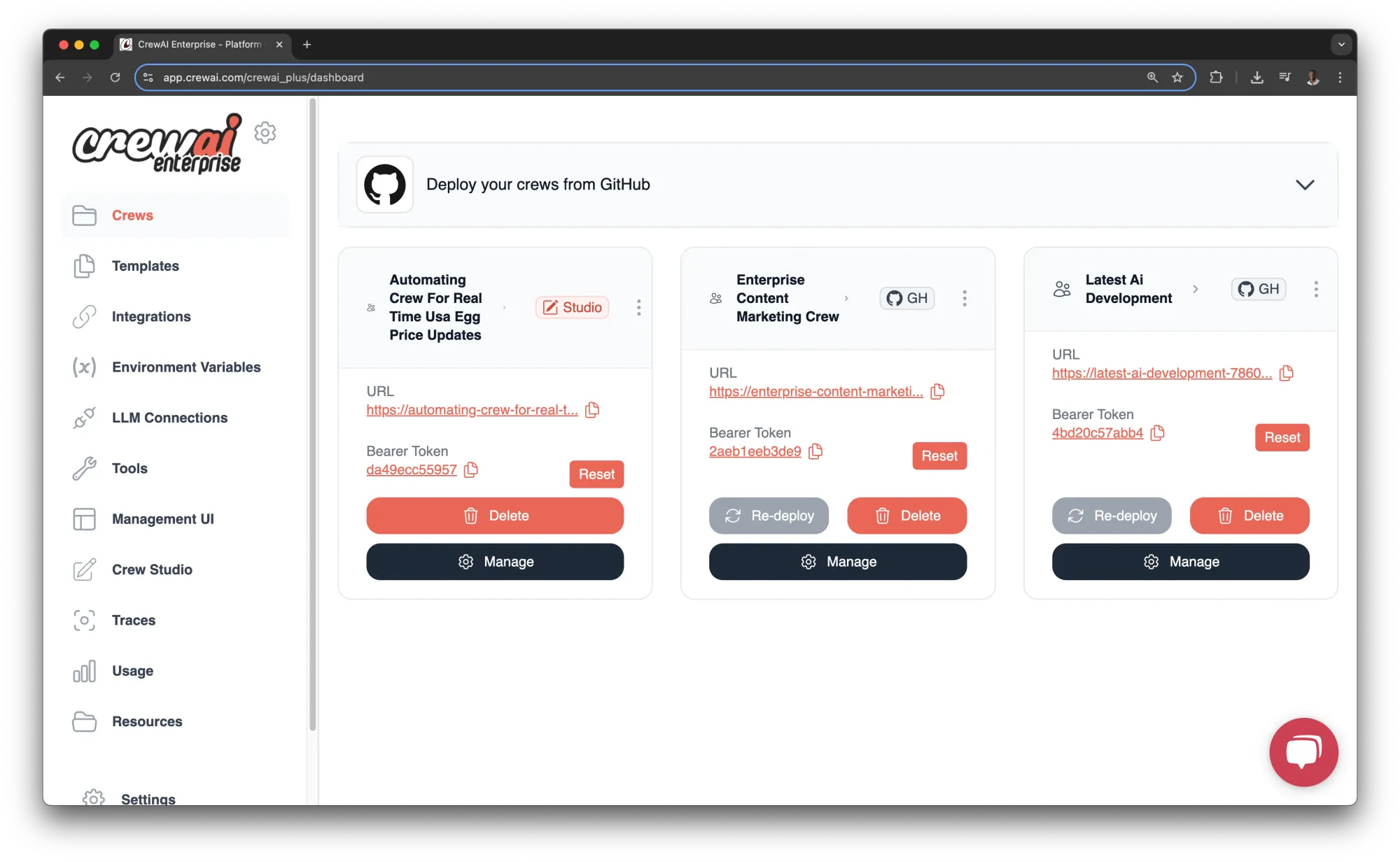
What it is
CrewAI AMP is a platform for designing, deploying and monitoring multi-agent crews. Its documentation describes execution traces, a tool repository, Crew Studio's visual editor and API access. The pricing page lists triggers and cron scheduling, plus Slack and Teams workflow chat. Those features support a builder's runtime; they do not automatically create a named worker with an inbox.
Best for
Choose CrewAI when a technical operations team wants to define agent responsibilities, observe execution and own the repeatable flow. The free tier is useful for assessing whether the workflow structure makes sense at limited volume, without treating 50 included executions as an enterprise capacity plan.
Pros
- Crew Studio gives teams a visual way to draft workflows, with deploy and trace tools for the runtime.
- Triggers and scheduled runs support recurring work; Slack and Teams workflow chat are documented entry points.
- Basic has a published free allowance, so builders can check the shape of a workflow before negotiating Enterprise terms.
Cons
- The free tier includes 50 executions per month. More frequent operations need a paid capacity conversation.
- Enterprise governance and deployment choices are sales-led; the accessible pricing page does not give a public Enterprise starting amount.
- The platform asks someone to build and maintain crews, whereas a non-technical team may prefer to hire a role-based colleague.
Pricing
Checked September 29, 2026: Basic is free with 50 executions per month. Enterprise is custom-priced through sales. Confirm which monitoring, identity and deployment controls are available in the quoted tier instead of assuming the free plan includes Enterprise options.
When it is not the right fit
If an office manager wants a worker to manage inbox follow-up, CrewAI adds design responsibility. Our n8n alternatives guide compares other workflow builders.
How to choose the right OpenAI dots alternative
Start with a real task and the place where it arrives. An email from a supplier, a WhatsApp message from a client and a scheduled browser research task have different channel and permission requirements. If the task needs a named colleague that remembers instructions and can answer across email, WhatsApp, Slack and Microsoft Teams, shortlist Spinnable. If all requests already arrive in Slack and visible teammate memory matters, compare Lindy's routines and per-user credits. The dots launch page lists ChatGPT, Slack and Teams, with texting coming soon, but does not mention email or WhatsApp, so ask OpenAI directly if either channel is a hard requirement.
Next decide whether someone will maintain an agent design. Relevance AI gives you explicit specialist handoffs, CrewAI gives builders a deployable crew runtime, and Copilot Studio fits a Microsoft tenant with established administrators. Those are legitimate advantages if your team wants to configure workflow behavior. I would not buy a builder to avoid writing a one-page role description; the ongoing owner of triggers and exceptions is part of the purchase. Our Zapier alternatives guide is useful if the real decision is between automation design and delegated work.
Then check the costly exception cases. For browser-heavy projects, compare Manus with dots' cloud computer and ask which actions need permission. For outbound sales, scope Artisan against prospect volume and approvals rather than general assistant tasks. For any shortlist, write down one month's expected frequency, external messages, integrations, review points and credit consumption. Ask vendors for a worked bill and a demonstration of that exact workflow. On September 29, 2026, a dots buyer also needs confirmation of plan eligibility and market access; a Manus buyer needs a credit-use estimate, while an Artisan buyer needs a paid quote. Published entry prices alone will not answer either question.
Frequently asked questions
Does OpenAI dots support email or WhatsApp?
OpenAI's September 29, 2026 launch page names ChatGPT, Slack, Teams and voice calls as ways to reach dots, and says texting is coming soon. It does not mention email or WhatsApp. That reflects the published launch information, not a claim that OpenAI will never support them. Spinnable workers are available today via email, WhatsApp, Slack and Microsoft Teams.
Can anyone use OpenAI dots today?
No general-access promise appears on the launch page. OpenAI says dots are rolling out to Pro and Business Premium users in eligible markets; Enterprise users, including Edu and Healthcare, can try an admin-enabled beta. The first dot is included in Pro or Business Premium at no extra cost, with an allowance for deeper work. It describes one primary named dot today, teams of dots as a future vision and specialist dots as a preview. Confirm availability inside the account and market you intend to use.
Which option is easiest for a non-technical team to start with?
If you need named workers for recurring operations, Spinnable lets you describe a role in plain language without coding and has a 15-day free trial on standard plans. Lindy is also worth comparing if your working day centers on Slack. Relevance AI, CrewAI and Copilot Studio give builders more direct control over workflows but ask the team to own more of the setup. "Easiest" depends on the first task and its permissions; we did not conduct a setup-time test.
Is there a free alternative to OpenAI dots?
CrewAI lists a Basic free tier with 50 executions per month, and Manus documents a credit-limited Free plan. Spinnable lists a 15-day free trial with no credit card required to start; that is a trial, not an ongoing free tier. Lindy's seven-day trial is limited to new teammates joining through Slack. Compare the included use allowance with the actual repeat task before relying on a free option.
Which alternatives have a browser or a way to build agent teams?
Manus documents a cloud browser and project-level automations. Relevance AI documents specialist workforces with handoffs, and CrewAI has a build-and-deploy runtime for multi-agent crews. OpenAI dots itself has an inspectable cloud computer and browser, with permissioned laptop access. These are different operating models: a browser task, a designed multi-agent flow and a persistent named colleague should each be evaluated with their own example job.
Put a worker on one real job
If your next hire is a persistent digital colleague for the operational work already landing in email, WhatsApp, Slack or Microsoft Teams, try Spinnable. Write the role as you would brief a new teammate, decide who it can message outside the company, and use the 15-day free trial to see whether the included Work Credits fit the actual workload.